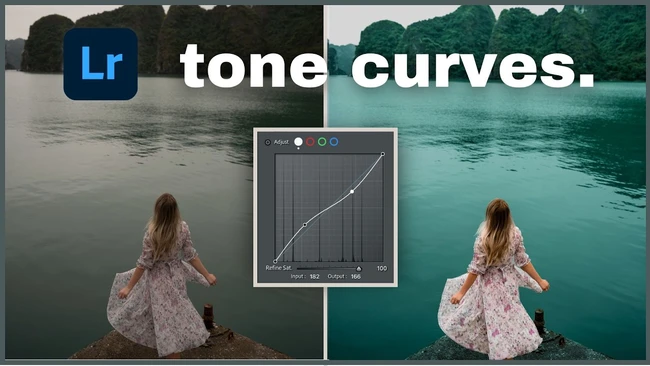
Lightroom’s tone curve stands out as one of the most powerful editing tools available, according to a recent Fstoppers overview published on May 8, 2026. The article notes that while many users only touch the surface of what the curve can do, a deeper understanding can transform flat, lifeless edits into images that exhibit real depth, color, and punch.
For creators who rely on visual content to engage audiences, the tone curve offers a way to refine the tonal range of a photograph without resorting to heavy-handed presets. By adjusting the curve, you can lift shadows, tame highlights, and sculpt midtones to bring out texture and detail that might otherwise stay hidden. This level of control helps ensure that each image aligns with the visual language of your brand or personal style.
Mastering the tone curve also supports a more efficient workflow. Instead of applying multiple separate adjustments — such as exposure, contrast, and clarity — you can achieve comparable results with a single, precise curve edit. This consolidation reduces the chance of introducing artifacts and makes it easier to maintain consistency across a series of photos, which is valuable for portfolios, client work, or social media feeds.
When working with the curve, creators typically begin by placing anchor points on the graph to target specific tonal zones. Pulling the curve upward in the midtone region can add a subtle punch, while a gentle S‑shape often enhances contrast without crushing detail. Small, incremental tweaks allow you to preview the effect in real time and stop before the image looks over‑processed.
Investing time to learn the tone curve pays off in higher‑quality output that stands out in crowded feeds. As the Fstoppers piece suggests, moving beyond basic sliders to master this tool is a practical step for any creator aiming to produce edits with genuine depth and visual impact.
Join the conversation
Load Facebook comments to read and reply using your Facebook account.