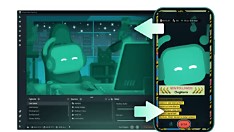
Streamlabs has launched Network Boost, a new mobile feature aimed at reducing IRL streaming dropouts for creators on the go. Available exclusively to Streamlabs Ultra subscribers, the tool is designed to improve connection stability during live broadcasts from mobile devices. The feature addresses a common pain point for IRL streamers who rely on cellular or fluctuating Wi-Fi networks.
Network Boost works by optimizing network performance in the background, helping to maintain consistent stream quality even when signal strength varies. While specific technical details were not disclosed in the announcement, the feature is positioned as a proactive solution to prevent disconnections and buffering during live mobile streams.
For creators who stream outdoors, at events, or while traveling, a stable connection is critical to audience retention and engagement. Network Boost aims to minimize interruptions that can lead to lost viewers or disrupted content. By integrating this tool directly into the Streamlabs mobile app, Logitech G’s Streamlabs continues to focus on creator-friendly innovations.
The launch reflects Streamlabs’ ongoing effort to support mobile-first creators who depend on reliable tools for IRL content. As live streaming grows more dynamic and location-independent, features like Network Boost become essential for maintaining professional stream quality outside traditional setups.
Streamlabs Ultra subscribers can access Network Boost through the latest version of the Streamlabs mobile app. The feature is part of Streamlabs’ broader strategy to enhance the mobile streaming experience without requiring additional hardware or complex setup. No pricing changes or subscription tier adjustments were mentioned in the release.
This update underscores Streamlabs’ commitment to solving real-world challenges faced by creators, particularly those who stream in unpredictable environments. By focusing on connection resilience, Network Boost helps creators stay live and connected when it matters most.
Word count: 248
Join the conversation
Load Facebook comments to read and reply using your Facebook account.
