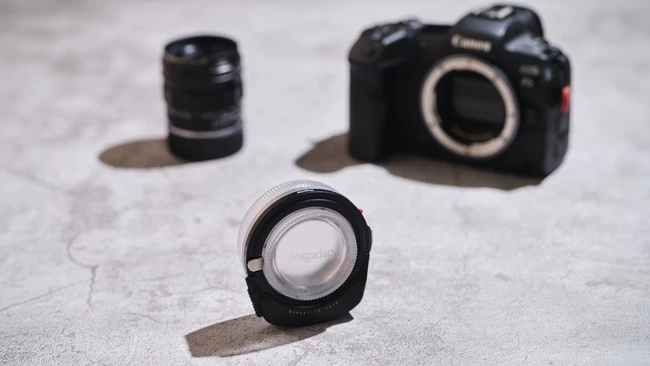
For years, Leica M lenses have been celebrated for their optical quality and manual focus precision, appealing to photographers who value deliberate, hands-on shooting. However, the lack of autofocus compatibility with modern mirrorless systems has limited their use in fast-paced shooting scenarios. The Megadap M2RF adapter aims to bridge that gap by enabling autofocus functionality for Leica M mount lenses on Canon mirrorless cameras.
According to a recent review published on Fstoppers, the adapter allows users to retain the character of Leica glass while gaining the convenience of autofocus—a feature previously unavailable without modifying the lens or relying entirely on manual focus. The reviewer, a self-described manual focus purist, notes that while manual focusing remains viable with practice, the ability to autofocus opens new creative possibilities, especially in dynamic environments.
The Megadap M2RF does not alter the lenses themselves but instead communicates focus commands between the Leica M lens and Canon RF mount camera body. This maintains the integrity of the original optics while expanding usability across Canon’s mirrorless ecosystem, including models like the EOS R series.
For creators invested in both Leica’s renowned lens lineup and Canon’s mirrorless platform, the adapter represents a practical solution to a long-standing limitation. It supports a growing trend of cross-brand lens adaptation, allowing photographers to leverage legacy glass without sacrificing modern camera features.
While the adapter does not replicate native autofocus speed or performance, it offers a functional workaround that respects the optical legacy of Leica M lenses. As lens adaptation technology evolves, tools like the Megadap M2RF help creators maximize their existing gear investments across systems.
Creator Newsdesk remains committed to reporting on developments that empower photographers and videographers through accessible, innovative gear solutions.
Join the conversation
Load Facebook comments to read and reply using your Facebook account.
