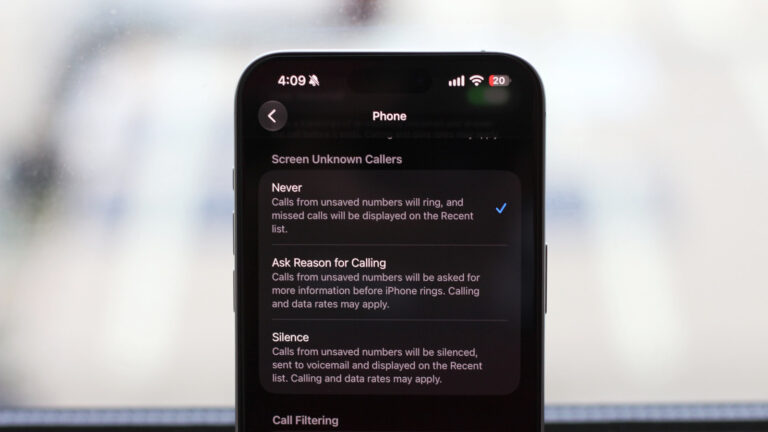
Spam calls continue to disrupt productivity for creators who rely on their phones for work, client outreach, and content planning. Fortunately, both iPhone and Android offer built-in tools to silence and block these interruptions without requiring third-party apps or paid subscriptions. According to Engadget’s October 6, 2026 guide, users can leverage native operating system features to reduce unwanted calls effectively.
On iPhone, enabling Silence Unknown Callers sends calls from numbers not in your contacts, recent calls, or Siri suggestions directly to voicemail. This feature is found in Settings > Phone and helps minimize distractions during filming, editing, or live streams. Android users can activate similar protections through the Phone app’s Settings, where options like Spam and Call Screen use Google’s AI to identify and filter potential spam before it rings.
These tools work silently in the background, logging blocked calls in your call history so you can review them if needed—without constant interruptions. For creators managing brand deals, audience engagement, or field reporting, reducing spam call noise means more focus on creative work and less time wasted on fraudulent or automated calls.
Engadget emphasizes that no additional cost or software is required, making these solutions accessible to all smartphone users regardless of budget or technical skill. By simply adjusting a few settings, creators can reclaim control over their communication channels. As spam tactics evolve, relying on updated OS protections remains a practical first line of defense—especially when every minute counts toward deadlines, uploads, or live interactions. Regularly checking for system updates ensures these features stay effective against new threats.
Join the conversation
Load Facebook comments to read and reply using your Facebook account.
