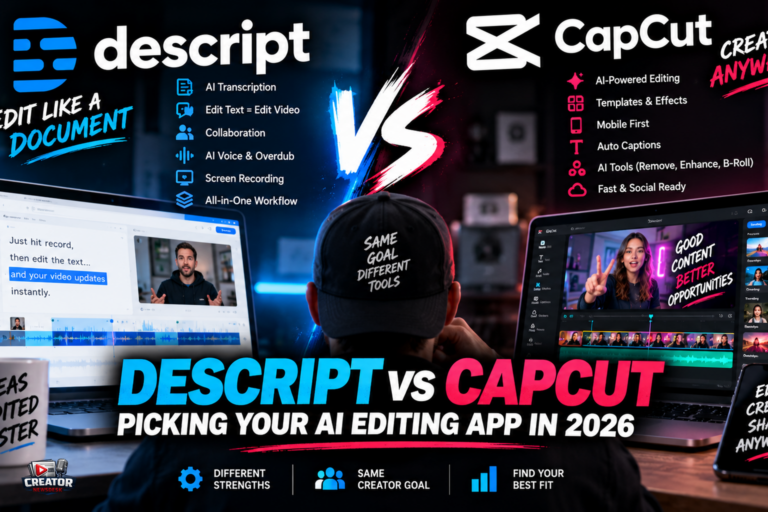
AI is no longer a side feature in video editing apps. In 2026, creators are using AI to cut footage, remove filler words, generate captions, create B-roll, dub videos into multiple languages and even generate new scenes from text prompts. Two apps sit at opposite ends of that shift, and choosing between them comes down to how you think about editing itself.
Descript remains the favorite of podcasters, interviewers, educators and talking-head YouTubers because it lets users edit video by editing text. Transcribe a recording, delete a sentence from the transcript, and the corresponding footage is cut, no timeline scrubbing required. Its AI toolkit includes Remove Filler Words, Studio Sound audio enhancement, the Underlord AI co-editor that takes editing notes like a human assistant, Create Clips for social cutdowns, Eye Contact correction, Green Screen, Automatic Multicam and caption translation in 61 languages. Pricing runs from a free plan with 60 media minutes a month to Hobbyist at $16, Creator at $24 and Business at $50, with annual billing discounts.
CapCut dominates short-form creation with a beginner-friendly interface and AI features built directly into the editor: auto-captions, AI background removal, smart cuts, AI voiceovers and text-to-video generation. Its template library syncs transitions and effects to music automatically, and the free tier is strikingly generous, offering 4K HEVC exports with no watermark on base edits. The tradeoff is depth: it is built for solo creators making social content, collaboration is minimal, and pricing for Pro varies by region with no fixed global price.
The honest read is that they are not really competitors. Descript wins for long conversations where the edit lives in the words; CapCut wins for short vertical video where the edit lives in the rhythm. Many creators now use both, cutting the interview in Descript and the clips in CapCut.
The takeaway: audit where your editing time actually goes. If you spend it hunting through timelines for the right sentence, try Descript’s text-first workflow for a week. If you spend it formatting one video for five platforms, lean into CapCut’s templates and auto-reframing. Match the tool to the bottleneck.
Join the conversation
Load Facebook comments to read and reply using your Facebook account.
