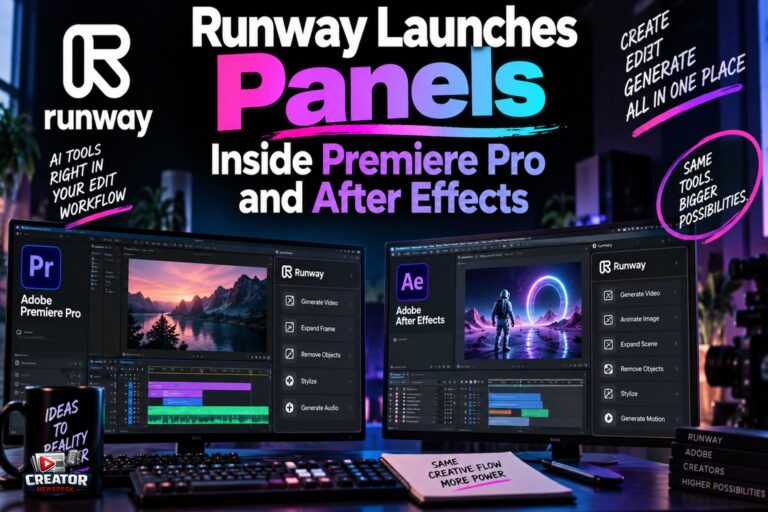
Runway has launched official extension panels for Adobe Premiere Pro and After Effects, bringing its generative AI video and image models directly into the Adobe editing workspace. According to Runway’s product changelog, the panels launched on September 8 and are a free download for macOS and Windows, running on the user’s existing paid plan and credits.
The panels carry Runway’s full model lineup into the timeline. Editors can generate video and images, restyle footage already sitting in the sequence with the Aleph 2 video-to-video model, upscale soft clips and isolate subjects with prompt-based tools, then place every result directly into the project bin, comp or sequence. The supported video models include Runway’s own Gen-4.5 alongside third-party options such as Seedance 2.5, Kling 3.0 Pro and Google’s Veo 3.1, with image models including Gen-4 Image, Nano Banana and GPT Image 2.
The pitch is the elimination of the browser round trip that has defined AI-assisted editing for the past two years. Previously, filling a gap in a Premiere timeline meant exporting a still or clip, uploading it to a web generator, waiting, downloading the result and conforming it back to the sequence’s resolution and frame rate. The native panel collapses that loop: generation happens in context, at the right size, with the surrounding footage available as reference.
The launch is part of a wider embedding strategy. Runway released a DaVinci Resolve plugin on September 23, and Adobe itself announced a Generative Media Tool for Premiere built around Firefly plus partner models including Runway, Veo, Kling and Luma. The editing timeline is becoming the battleground where AI video companies compete, and native integration is quickly shifting from differentiator to expectation.
For creators editing in Premiere or After Effects, the takeaway is straightforward: install the free panel and run a side-by-side test on your next project. Generate one missing shot in the panel and one through your current web workflow, and compare not just quality but the minutes lost to exporting, uploading and re-importing. For editors who reach for AI fills regularly, the reclaimed time is likely to be the real upgrade.
Join the conversation
Load Facebook comments to read and reply using your Facebook account.
