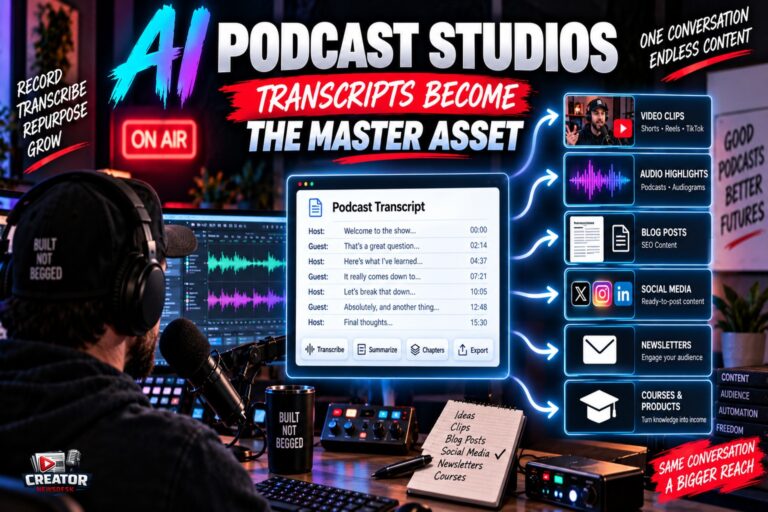
Podcast production is getting an AI-native studio layer, with new tools that transcribe episodes from a link, separate speakers, generate chapters and show notes, and pipe transcripts directly into AI assistants for repurposing. Two recent developments show where the workflow is headed.
PodcastsToText has launched a full podcast studio that starts from a Spotify, Apple Podcasts, YouTube or TikTok link. The three-pane editor places the episode and artwork on the left, the transcript in the middle and an inspector on the right carrying chapters, speakers, summary, show notes, translation and a question box, with click-any-word audio seeking. Speakers are detected automatically and can be renamed, colored, merged and marked as host, with merges stored as reversible aliases. From the transcript, the tool generates summaries, blog posts, newsletters, social posts for X, LinkedIn and Instagram, SEO metadata, YouTube descriptions and pull quotes, and finished transcripts can be translated in place.
Separately, Riverside’s Model Context Protocol integration pulls recordings and transcripts directly into Claude, letting creators generate full metadata packages, titles, descriptions, chapters, without touching an SRT file. Combined with Riverside’s existing AI show notes and MagicClips, the recording platform is becoming a pre-production source for an AI repurposing chain.
The pattern is the transcript becoming the master asset. Once an episode exists as a clean, speaker-labeled, timestamped transcript, every downstream artifact, clips, posts, newsletters, translations, is a transformation rather than a new production effort.
For podcasters, the takeaway is to treat transcript quality as production quality. Record with clean audio and clear speaker separation, verify the auto-detected speakers before generating derivatives, and build a standard repurposing checklist per episode so the AI outputs get reviewed rather than auto-published. The studios save hours, but the editorial judgment about what deserves to be clipped is still yours. Start with one episode run end to end through the new workflow, measure the time saved against your current process, and only then decide whether the subscription earns a permanent place in your stack.
Join the conversation
Load Facebook comments to read and reply using your Facebook account.
