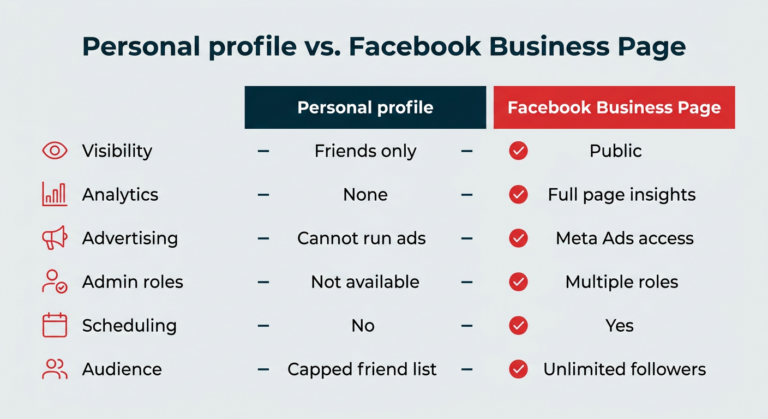
Setting up a Facebook Business Page in 2026 remains a foundational step for content creators aiming to grow their audience and monetize their presence. According to Hootsuite’s updated guide published on October 2, 2026, the process follows eight clear steps designed to streamline setup and maximize early impact. Creators are advised to begin by selecting the correct page category that aligns with their niche—whether it’s art, education, entertainment, or entrepreneurship—to ensure proper discoverability within Facebook’s algorithm.
The next steps involve adding high-quality visuals, including a profile picture and cover photo that reflect the creator’s brand identity. These images should be optimized for both mobile and desktop viewing, as most audience engagement occurs via smartphones. Once the visual foundation is in place, creators can add a call-to-action (CTA) button—such as “Book Now,” “Learn More,” or “Send Message”—to direct visitors toward specific goals like newsletter sign-ups, product purchases, or consultation bookings.
A notable update in 2026 is the seamless integration of WhatsApp with Facebook Business Pages. Creators can now connect their WhatsApp Business account directly during setup, enabling real-time customer communication without leaving the platform. This feature supports faster response times and stronger community engagement, particularly valuable for creators offering services, digital products, or fan interactions. After completing the core setup, Hootsuite recommends optimizing the page faster by leveraging Facebook’s built-in insights tools to track performance and refine content strategy based on early audience behavior.
Join the conversation
Load Facebook comments to read and reply using your Facebook account.
