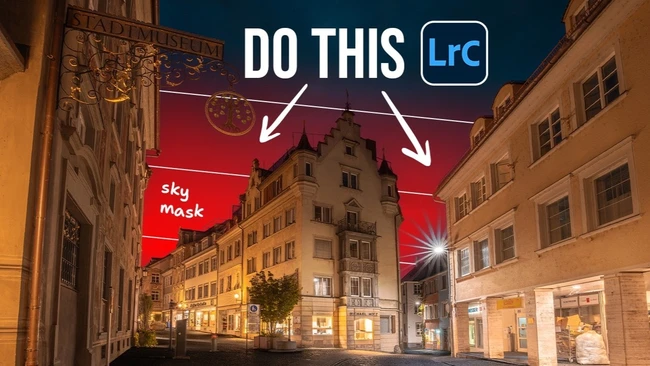
A bright, clear sky should elevate a photo—not flatten it. Yet many creators find their images marred by lifeless, uniform bands of color behind subjects, lacking depth or visual interest. According to a recent Fstoppers guide published October 27, 2026, Lightroom’s AI-powered masking tools offer a fast solution—but the obvious sky selection isn’t always the most effective.
The article highlights an underused technique: inverting the mask. Instead of adjusting the sky directly, creators select everything *except* the sky using Lightroom’s AI subject or background detection, then invert the mask to isolate the sky with greater precision. This method often yields cleaner edges and more natural transitions, especially around complex subjects like hair, foliage, or architecture where standard sky selections can bleed or leave halos.
By working from the inverted mask, editors gain better control over exposure, contrast, and color grading in the sky without affecting the main subject. This approach minimizes the need for tedious manual brushing or third-party plugins, streamlining workflows for photographers and content creators who edit high volumes of outdoor portraits, landscapes, or travel content.
The trick leverages Lightroom’s existing AI tools—no updates or extra costs required—making it accessible to all skill levels. For creators aiming to deliver polished, professional-looking images quickly, mastering this simple inversion method can mean the difference between a flat edit and a dynamic, eye-catching final frame. As editing demands grow, efficient techniques like this help maintain quality without sacrificing speed.
Join the conversation
Load Facebook comments to read and reply using your Facebook account.
