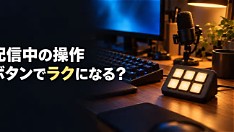
Starting a Twitch stream often begins with a simple goal: share gameplay while managing basic controls through OBS Studio. For many new creators, the initial focus is on getting the game feed stable, adjusting audio levels, and ensuring a consistent broadcast—tasks that can feel overwhelming when juggling multiple windows and hotkeys during live sessions. This early stage raises a common question: does investing in a Stream Deck truly simplify the process, or is it an unnecessary expense for those just finding their footing?
The Stream Deck, a customizable LCD button panel, allows streamers to assign functions like scene transitions, audio muting, alerts, or social media posts to tactile buttons. For creators already navigating OBS’s interface, reducing reliance on keyboard shortcuts or mouse clicks can minimize errors and cognitive load during streams. While not required to go live, the device offers tangible workflow benefits—especially as channels grow and stream complexity increases with overlays, webcams, and interactive elements.
Ultimately, whether a Stream Deck is “needed” depends on individual workflow preferences and long-term goals. Beginners may start effectively with OBS alone, using built-in hotkeys or free companion tools. However, as streaming routines become more repetitive or demanding, the Stream Deck presents a low-friction way to enhance consistency and professionalism—making it a worthwhile consideration for creators aiming to scale efficiently without sacrificing focus on content.
Join the conversation
Load Facebook comments to read and reply using your Facebook account.