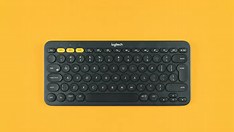
If your Logitech keyboard has stopped working mid-project, you're not alone—and the fix might be simpler than you think. According to a recent guide from Windows Report, common issues often stem from basic connectivity problems, outdated drivers, or temporary glitches that can be resolved without technical expertise. For content creators who rely on seamless input for editing, writing, or streaming, a malfunctioning keyboard can disrupt workflow fast.
The first step is to verify the physical connection—whether wired or wireless. For wireless models, ensure the receiver is securely plugged into a USB port and that batteries are fresh. Try plugging the receiver into a different port, preferably a USB 2.0 slot, as some USB 3.0 ports can cause interference. If using Bluetooth, re-pair the device through your system’s Bluetooth settings.
Next, update or reinstall the keyboard drivers via Device Manager. Outdated or corrupted drivers are a frequent cause of input lag or total unresponsiveness. Windows Report suggests uninstalling the device and letting Windows reinstall the driver automatically upon reboot. Additionally, testing the keyboard on another computer can help isolate whether the issue lies with the peripheral or the host system.
Finally, check for conflicting software or recent system updates that may have altered input settings. Disabling third-party keyboard utilities temporarily can reveal if a background app is interfering. These six practical steps—rooted in real-world troubleshooting—offer creators a quick path back to productivity without needing professional support. Always start simple before assuming hardware failure.
Join the conversation
Load Facebook comments to read and reply using your Facebook account.
