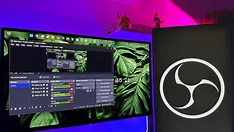
OBS Studio remains one of the most valuable applications on a creator’s PC, according to a recent highlight from XDA Developers. Despite its reputation as a streaming tool, the software offers significant utility beyond live broadcasts. Many content creators overlook OBS when they aren’t going live, missing out on its core strengths in local recording and scene composition.
The app excels at capturing high-quality screen footage, webcam feeds, and audio inputs simultaneously—making it ideal for tutorial creation, gameplay reviews, or presentation recording. Its modular design allows users to build custom scenes with sources like window captures, media files, and filters, all without needing a paid license. This flexibility supports polished pre-production workflows even for creators focused on edited content.
Beyond recording, OBS includes built-in tools for real-time audio mixing, video filtering, and PTZ camera control, reducing reliance on multiple third-party utilities. Its open-source nature ensures regular updates and community-driven improvements, keeping it compatible with evolving hardware and OS standards. For creators managing complex setups, OBS acts as a centralized hub for media routing and monitoring.
Even if live streaming isn’t part of your strategy, installing OBS prepares you for future opportunities while enhancing current content production. The zero-cost barrier makes it a risk-free addition to any creator’s toolkit, offering professional-grade capabilities typically found in paid alternatives. As workflows grow more sophisticated, having OBS ready can streamline experimentation with new formats or collaborations.
Ultimately, OBS Studio’s value lies in its adaptability. Whether you're recording a voiceover, testing a green screen setup, or archiving raw footage, it provides a stable, customizable foundation. For creators aiming to maximize efficiency without inflating expenses, it’s not just useful—it’s foundational.
Join the conversation
Load Facebook comments to read and reply using your Facebook account.
