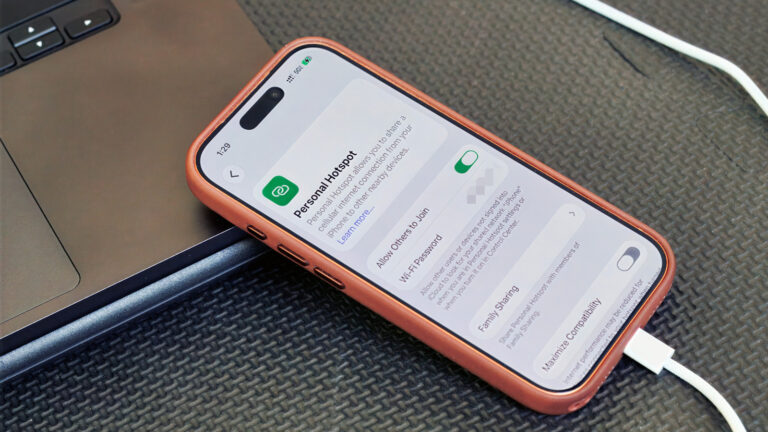
For content creators, a reliable internet connection is the invisible backbone of the job. Whether you're uploading a large video file, hosting a livestream, or syncing raw footage to the cloud, a dropped connection can cost hours of productivity. According to a recent Engadget guide, there are times when a physical connection will perform better than a Wi-Fi hotspot—and that’s where USB tethering comes into play.
USB tethering is a method of sharing your phone's mobile data connection with a computer via a USB cable, rather than over the air. The core advantage, as the source notes, is that the physical link can offer better performance than a traditional Wi-Fi hotspot. For creators, this translates to a more stable, consistent connection that is less susceptible to interference from walls, other devices, or physical distance.
So when should you choose the cable over the wireless signal? The Engadget piece highlights that USB tethering is ideal for scenarios where you need an uninterrupted connection, such as live streaming from a remote location or performing a large upload during a busy event. While the source's summary does not detail specific speed benchmarks, the general premise is that a hardwired connection removes the volatility of Wi-Fi, which is critical when your income depends on staying online.
The trade-off is worth noting: with USB tethering, your phone will charge off the computer, and you’ll need the right cable on hand. But for creators who are already packing a laptop and a phone for a shoot, the added cable is a small price for dependable internet. As remote work continues to blur the line between "at home" and "on location," having this fallback in your toolkit is a practical way to ensure your deadline doesn't hinge on a finicky Wi-Fi signal.
For the full step-by-step instructions on how to enable USB tethering on your specific device—and to verify compatibility with your operating system—refer to the original guide on Engadget. The source confirms that the basic process involves connecting your phone to your computer, navigating to your hotspot settings, and toggling the USB tethering option, though exact menus vary by manufacturer.
Join the conversation
Load Facebook comments to read and reply using your Facebook account.
