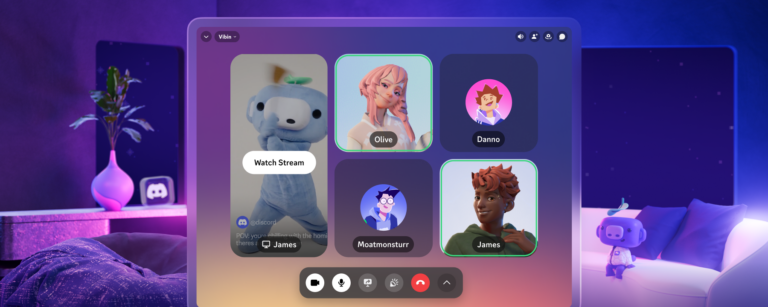
Starting today, Discord has released a native application for Meta Quest headsets, available for direct download from the Horizon App Store. The announcement, shared on the Discord Blog, notes that users no longer need to rely on sideloading or the web app to use Discord while in virtual reality. Instead, the app can be installed through the official storefront or via the link provided in the blog post, which also points to discord.com/download.
This update simplifies the process for creators who use Discord to manage communities, coordinate projects, or stay in touch with fans while immersed in VR experiences. By offering a dedicated Quest app, Discord enables voice chat, text messaging, and server navigation directly within the virtual environment, reducing the need to switch between devices or remove the headset.
For content creators who host virtual events, run VR-based workshops, or collaborate with teammates in immersive spaces, the native app provides a seamless way to keep conversations flowing. Users can join their existing Discord servers, participate in voice channels, and receive notifications without leaving the VR world, supporting continuous interaction during streams, gameplay, or creative sessions.
To get started, creators can follow the download link in the Discord Blog or visit discord.com/download from their Quest browser. The installation process mirrors that of other Horizon Store apps, requiring only a few taps to begin using Discord in VR.
The move reflects a growing trend of integrating communication platforms directly into VR hardware, aiming to keep creators connected wherever their work takes them. With Discord now readily accessible on Meta Quest, users can maintain their community presence and collaborative workflows without the extra steps previously required.
Join the conversation
Load Facebook comments to read and reply using your Facebook account.